Not sure on how to find your e-Badge? Follow these steps below
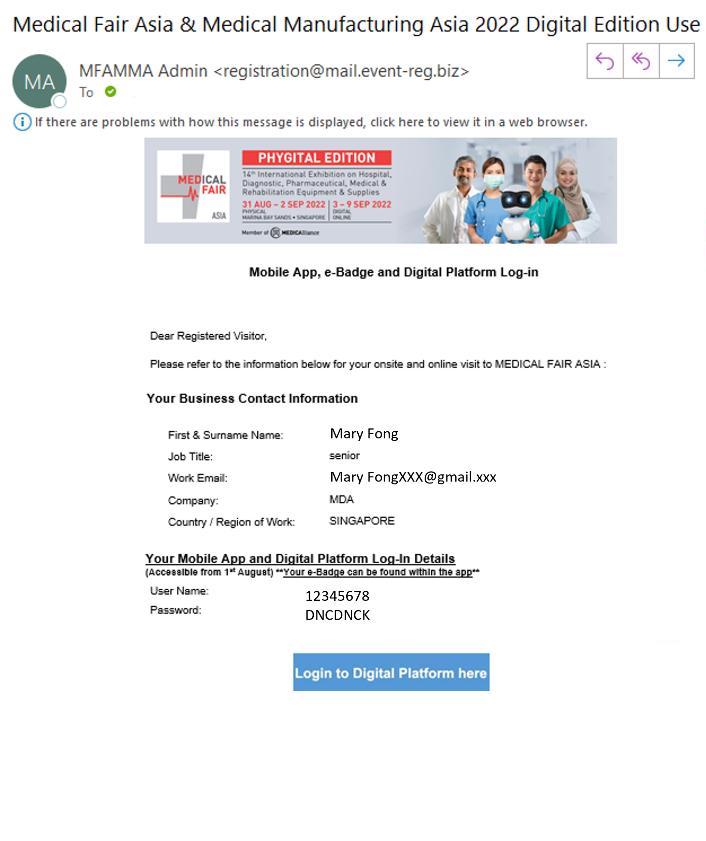
After you received your Registration Confirmation letter, you will receive an email with your User Name and Password.
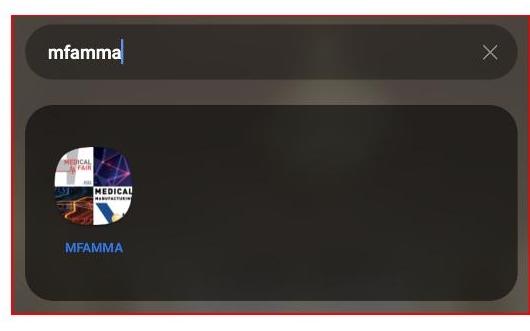
Go to the App Store / Google Play to download the MFAMMA Mobile App
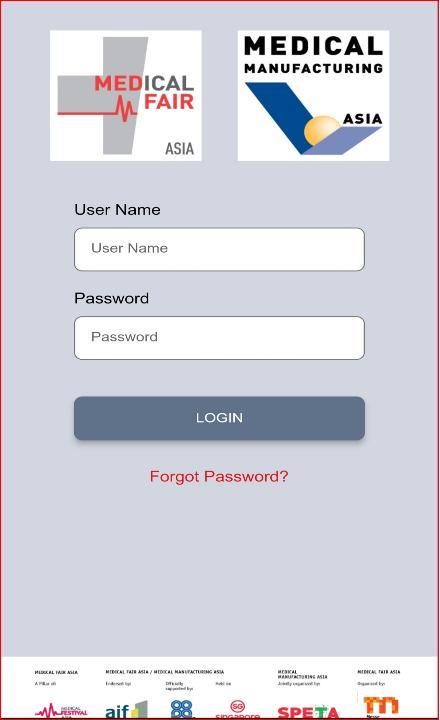
Login into your account with the User Name and Password given to you in Step 1 after you have registered for MEDICAL FAIR ASIA
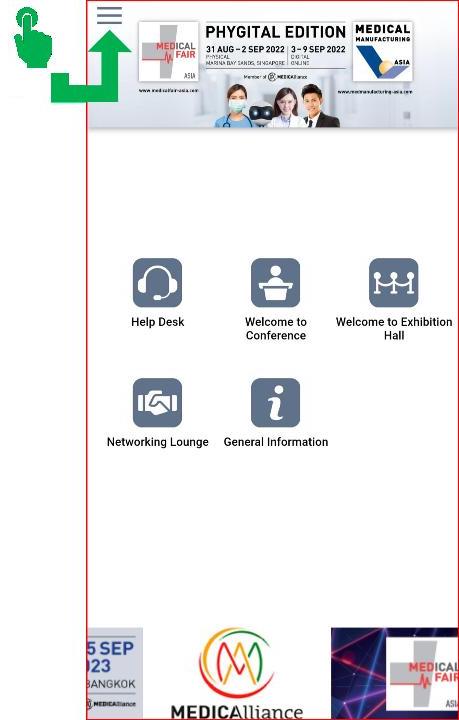
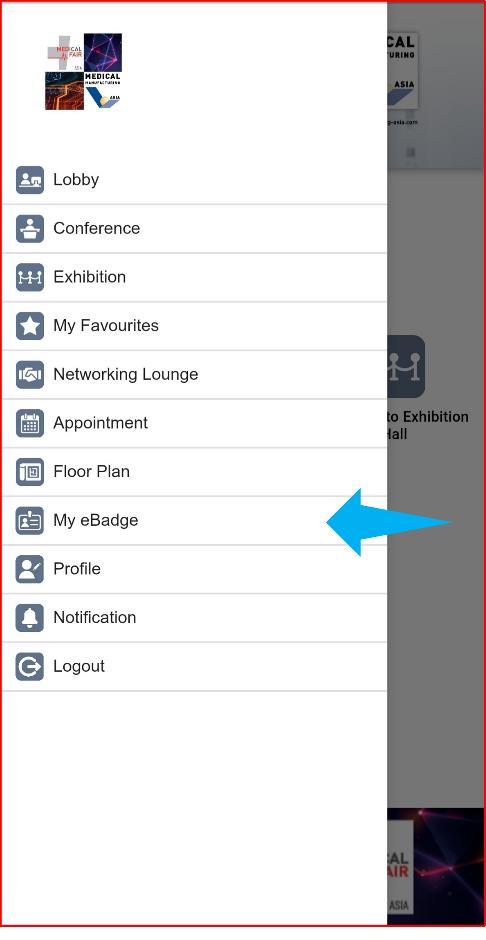
Once you are logged-in to your account, click on the Menu Button
Access your e-Badge by clicking this tab
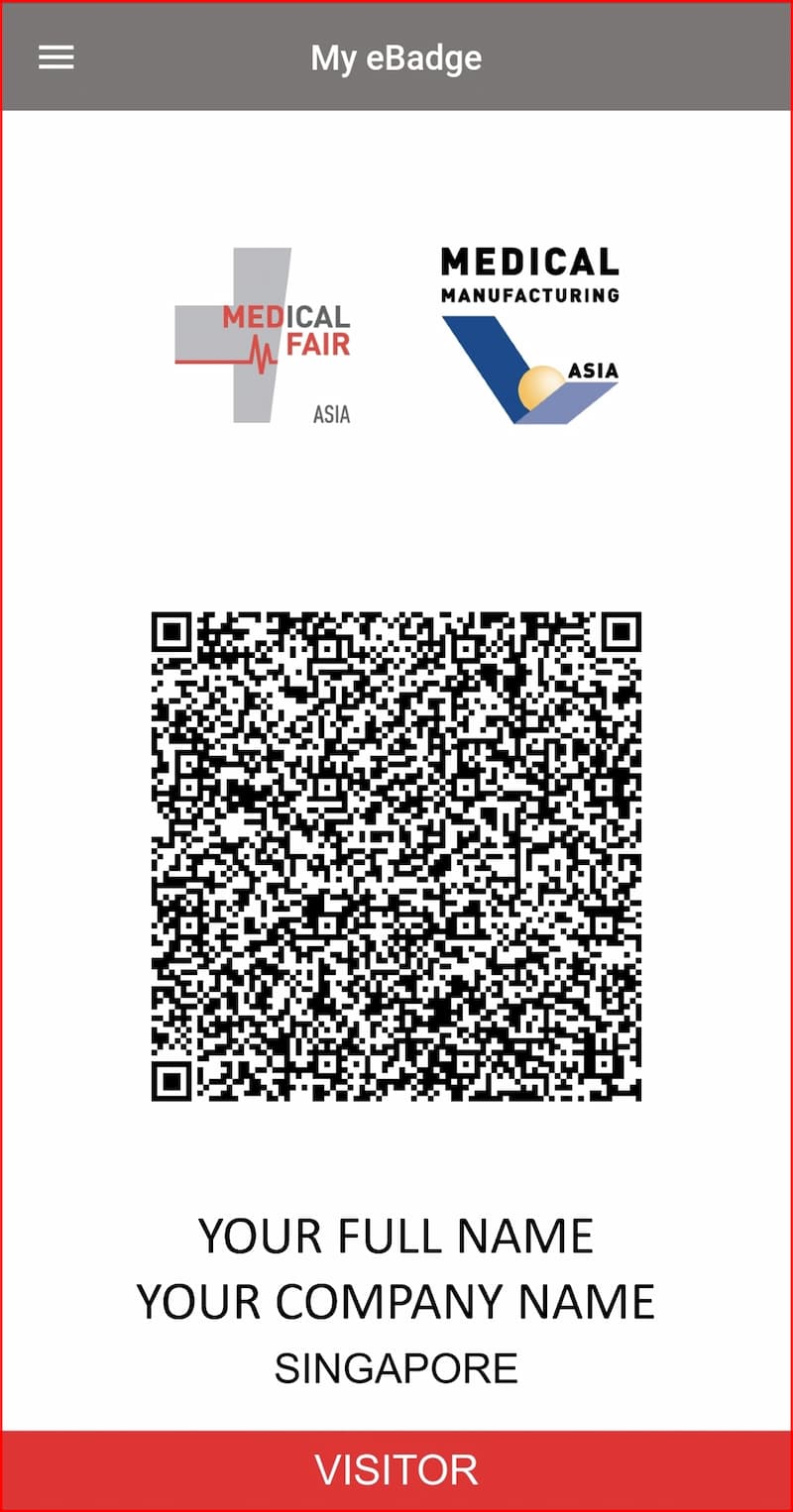
View your e-Badge and present to enter the exhibition halls